
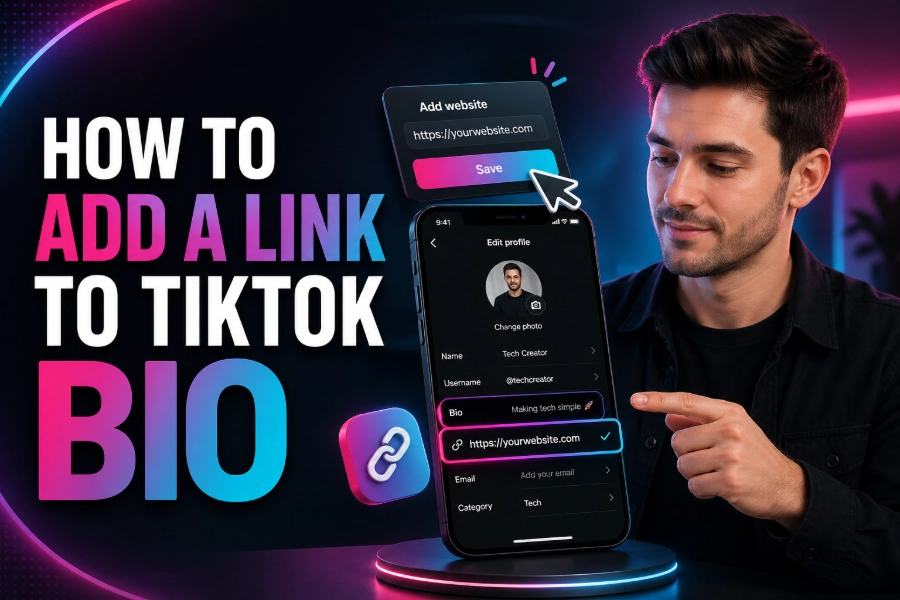
TikTok has become a vital platform for creators, influencers, and businesses to showcase their content and connect with their audience. Adding a link to your TikTok bio is a simple yet powerful way to enhance your profile and drive traffic to your website, social media, or other destinations.
In this article, we will explore the steps involved in adding a link to your TikTok bio, discuss some best practices, and provide tips on how to make the most out of your bio link. Whether you are a beginner or an experienced TikTok user, these tips will help you leverage this feature to its fullest.
Steps to Add a Link to Your TikTok Bio
To start adding a link to your TikTok bio, you need to switch to a Business Account. This allows you to access additional features, such as adding a clickable URL to your profile.
If you don’t have a Business Account yet, you can easily switch from your personal account settings.
How to Add a Link to Your TikTok Bio
Once you have switched to a Business Account, follow these simple steps to add a link:
- Open the TikTok app and go to your profile.
- Tap on the “Edit Profile” button.
- Scroll down to the “Website” section to add the link.
- Paste the URL (without the “http://” or “www”) that you want to link to.
- Save the changes, and your link will appear in your bio.
If you’re looking to add multiple links to your TikTok bio, consider using services like pro TikTok Viewer. With these tools, you can create a landing page with multiple clickable links, which is ideal for businesses or influencers looking to direct traffic to multiple platforms at once.
Best Practices for Adding a Link to Your TikTok Bio
While adding a link is simple, there are a few best practices to ensure you’re making the most out of this feature.
Use a Short, Memorable Link
If possible, create a short and memorable URL. This helps followers remember your link and type it out easily. Services like TikTok Data Viewer allow you to shorten links, making them more user-friendly.
Add a Clear Call-to-Action
To increase engagement, add a clear call to action (CTA) along with your link. For example, you could write, “Click here to shop our latest collection” or “Visit our website for exclusive content.” A strong CTA will encourage followers to click on your link and explore your offerings.
Keep Your Bio Updated
Regularly update your TikTok bio link to reflect your latest content, promotions, or business updates. This keeps your profile fresh and aligned with your current marketing goals.
Tools to Enhance Your TikTok Bio Link
If you want to add more functionality to your TikTok bio, consider using third-party tools to create landing pages with multiple links. Tools like TikTok Link Viewer let you combine multiple links into a single page, creating a neat, organized bio that drives traffic to all your social media platforms, websites, or campaigns.
By using these tools, you can display all your important links, from your latest YouTube video to your eCommerce store, without crowding your bio with multiple URLs.
Why You Should Add a Link to Your TikTok Bio
Adding a link to your TikTok bio is crucial for several reasons. First, it gives your audience a way to connect with you outside of TikTok. Whether you want to promote your blog, direct followers to your products, or share your latest content, having a clickable link in your bio is an essential tool for success.
Increase Traffic to Your Website or Social Media
By adding a link, you can redirect TikTok viewers to your website or other social media platforms. This is especially helpful for influencers and businesses looking to drive traffic to their online stores, blogs, or Instagram pages.
Grow Your Business or Personal Brand
For businesses, adding a link to your TikTok bio is an excellent way to grow your brand presence and direct potential customers to your website. Similarly, for creators, this feature allows you to promote your other content, like YouTube videos or blog posts, and grow your audience across multiple platforms.
Tips for Optimizing Your Link
Once you’ve added your link, you want to make sure it performs well. Here are some tips to optimize your TikTok bio link for better results.
Track Link Performance
Use tools like TikTok Page Viewer or URL shorteners with built-in analytics to track how many people are clicking on your link. By monitoring this data, you can adjust your content or CTAs to improve click-through rates.
Leverage Your Link in Your Content
Don’t forget to mention your link in your videos and captions. Incorporating your bio link into your content, with a strong call-to-action, can help increase traffic to the link in your bio.
Optimize Your Profile Description
A well-crafted profile description with relevant keywords can also help your TikTok profile rank higher in searches. Make sure your bio clearly explains what your account offers and includes the link to your desired destination.
The Power of Multiple Links in Your TikTok Bio
While TikTok allows you to add only one clickable link in your bio, there are tools available that let you add multiple links. Platforms like the TikTok Following List Viewer help you organize and display several links on a single page, making it easier to drive traffic to multiple destinations. This is perfect for businesses or creators who have multiple projects or social media profiles to promote.
With multiple links, you can provide your followers with options, such as linking to your latest blog post, your YouTube channel, or your eCommerce store. By using landing pages, you can create an organized, user-friendly bio that effectively promotes your content.
Conclusion
Knowing how to add a link to your TikTok bio is a must for anyone serious about using the platform to its full potential. Whether you’re an influencer, business owner, or content creator, the ability to add a clickable link to your profile can increase engagement and drive traffic to your website or social media. By following the steps outlined in this article, you can easily add a link to your TikTok bio and start using it to connect with your audience more effectively. Remember to keep your bio updated, use a short, memorable link, and track its performance to make the most of this powerful feature.
By leveraging tools like TikTok Viewer No Watermark, you can further enhance your TikTok bio and provide even more value to your followers. This way, you’ll be able to stay c
FAQs
How do I add a link to my TikTok bio?
To add a link to your TikTok bio, switch to a Business Account, go to your profile, tap “Edit Profile,” and paste your desired URL in the “Website” section. This makes the link clickable for your audience.
Can I add multiple links to my TikTok bio?
TikTok allows only one clickable link in your bio. However, using third-party tools like Linktree or Taplink, you can create a landing page with multiple links, directing followers to various destinations from one URL.
Do I need a Business Account to add a link to TikTok?
Yes, you need a Business Account to add a clickable link to your TikTok bio. If you don’t have a Business Account, you can easily switch in your account settings to unlock this feature.
What types of links can I add to my TikTok bio?
You can add any type of link to your TikTok bio, including links to your website, social media profiles, YouTube channels, blogs, or even specific content like products, services, or promotions.
How can I shorten my TikTok bio link?
To make your bio link more user-friendly, use URL shorteners like Bitly. This reduces the length of your link, making it easier to share and remember while keeping your TikTok bio looking neat.
How do I track clicks on my TikTok bio link?
To track clicks on your TikTok bio link, use tools like URL shorteners with analytics (e.g., Bitly) or services like Google Analytics. These tools help monitor the number of clicks and understand how users interact with your link.
Can I add a link to my TikTok bio without 1,000 followers?
If you have fewer than 1,000 followers, you cannot add a clickable link to your TikTok bio. However, you can still include a non-clickable URL or switch to a Business Account once you reach the follower threshold.
How can I make my TikTok bio link more effective?
To make your TikTok bio link more effective, include a clear call to action (CTA) like “Shop Now” or “Visit for More Info.” Also, update the link regularly to keep it relevant to your latest content or promotions.
What are the benefits of adding a link to my TikTok bio?
Adding a link to your TikTok bio boosts engagement by allowing followers to visit your website, explore more content, or make purchases. It’s essential for growing your brand and converting TikTok traffic into real opportunities.
How can I make my TikTok bio more professional?
To make your TikTok bio more professional, keep the description concise, use relevant keywords, and add a link to your website or social media platforms. This will help establish a polished, business-friendly profile and attract more professional followers.